Featured Project

⚡ SlashFlow AutoFill — Slash Command Chrome Extension

A premium, high-performance Chrome extension designed to eliminate repetitive typing and streamline your web workflows. Fill any input field on any website using simple, customizable slash commands. Supports English & Bangla (Bilingual).

#ManifestV3 #VanillaJS #ChromeExtension #Glassmorphism
Active / Premium Development 🌐 English & বাংলা
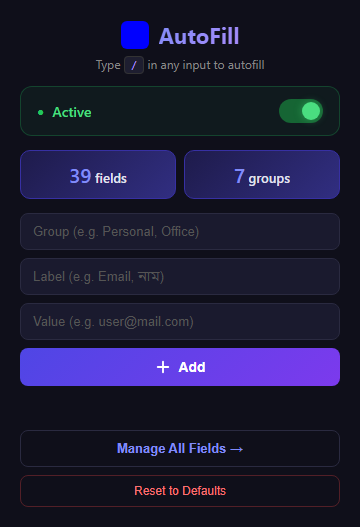
SlashFlow AutoFill Extension Popup

🚀 Why SlashFlow?

Typing the same information over and over—names, addresses, phone numbers, or code snippets—is a waste of time. SlashFlow solves this by letting you save these as "snippets" and recall them instantly with a / command directly in your browser.

⚡ Unmatched Speed

What takes minutes to type now takes seconds to fill. Instant recall of saved snippets.

✅ Zero Typos

Eliminate manual entry errors by using verified, saved snippets every time.

📂 Organized

Keep all your frequently used information in one secure, accessible place.

✨ Key Features

Instant Slash Commands

Type / in any text input, textarea, or content-editable field to trigger a beautiful glassmorphism-styled dropdown.

Smart Grouping

Organize your snippets into categories (Personal, Office, Addresses) for logical management with accordion UI.

Active/Inactive Toggle

Fully control when the extension is active from the popup. A dynamic badge shows ON/OFF status at a glance.

Bilingual & Unicode

Seamlessly handles Bangla and English text, making it perfect for international and local users.

Import / Export

Backup your data or share configurations via JSON. Bulk import/export for seamless data management.

Reset to Defaults

One-click restoration of 37+ essential pre-defined Bangla data fields including Name, NID, Address, and more.

💻 Technical Stack

🧩

Manifest V3

Latest Chrome Extension security & performance standards

⚡

Vanilla JavaScript

Pure, high-performance logic with zero heavy dependencies

💎

Premium CSS

Glassmorphism, CSS Variables & Smooth Transitions

🔐

Chrome Storage API

Secure local data persistence across tabs

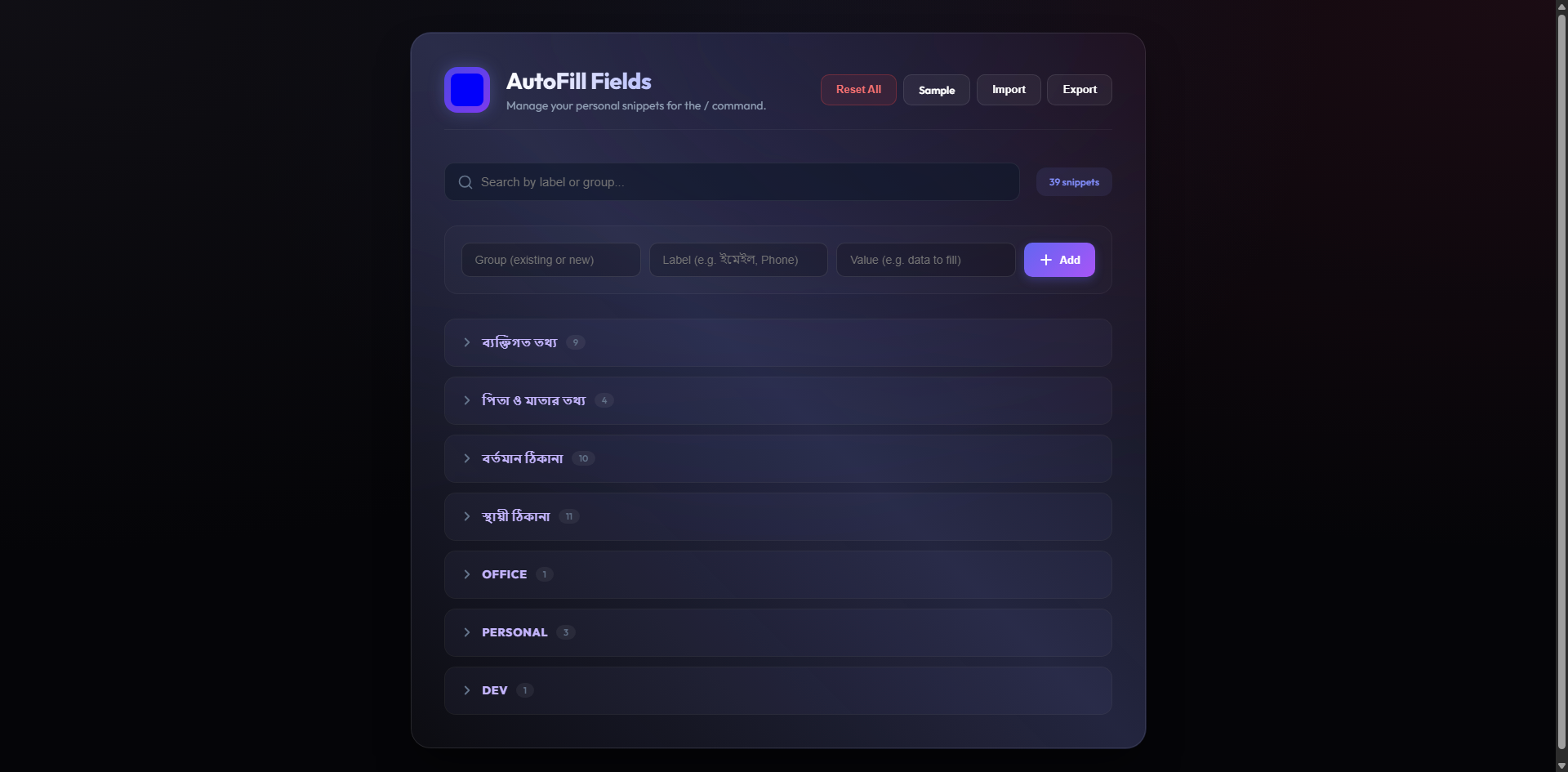
📸 Extension Screenshots (Click to view fullscreen)

Home

Home

Click to preview

Option

Option

Click to preview

Interested in SlashFlow?

Have questions about the extension or want a custom solution? Let's connect!